Many SEO problems remain hidden until you examine your website beyond routine checks. Small issues across content, metadata, and internal links can quietly weaken your optimization efforts.
To investigate these problems, I used Rank Math AI to review my website’s SEO performance. I wanted to identify overlooked issues and understand which improvements deserved my attention first.
Throughout this case study, I’ll explain the audit process and the problems I discovered. I’ll also show how I addressed each issue using relevant Rank Math features.
Finally, I’ll compare the results before and after making those SEO improvements. This practical walkthrough will help you understand where Rank Math AI can support your workflow.
Why I Decided to Audit My Website With Rank Math AI
Even websites with regular SEO maintenance can contain problems that remain unnoticed. I wanted to investigate hidden issues affecting content, metadata, internal links, and technical SEO.
Manual SEO checks become time-consuming when reviewing multiple pages individually. I needed a more organized approach to identify problems without overlooking important details.
I expected Rank Math AI to help uncover optimization issues and provide useful recommendations. I also wanted to discover internal linking opportunities and identify technical problems requiring attention.
Most importantly, I wanted practical insights rather than simply another SEO score. My goal was to verify each finding, fix meaningful issues, and improve my website’s overall SEO.
My Website and SEO Audit Setup
In this step, I’m going to give you a quick overview of the website we’re going to test for this tutorial, its overview, Rank Math plugins and features I used, and the website SEO audit process.
Website Overview

For this SEO audit, I used WebHostingInBangladesh.com, a website comparing hosting providers serving Bangladesh. It helps visitors evaluate providers through pricing, performance, features, support, and overall value.
The website includes hosting comparisons, provider reviews, pricing details, and recommendations for Bangladeshi website owners. This makes it a practical example for investigating SEO issues across different content types.
Rank Math Plugins and Features I Used
I used three Rank Math features to examine different aspects of my website’s SEO. These included Content AI, Analytics, and AI Link Genius, each offering different insights.
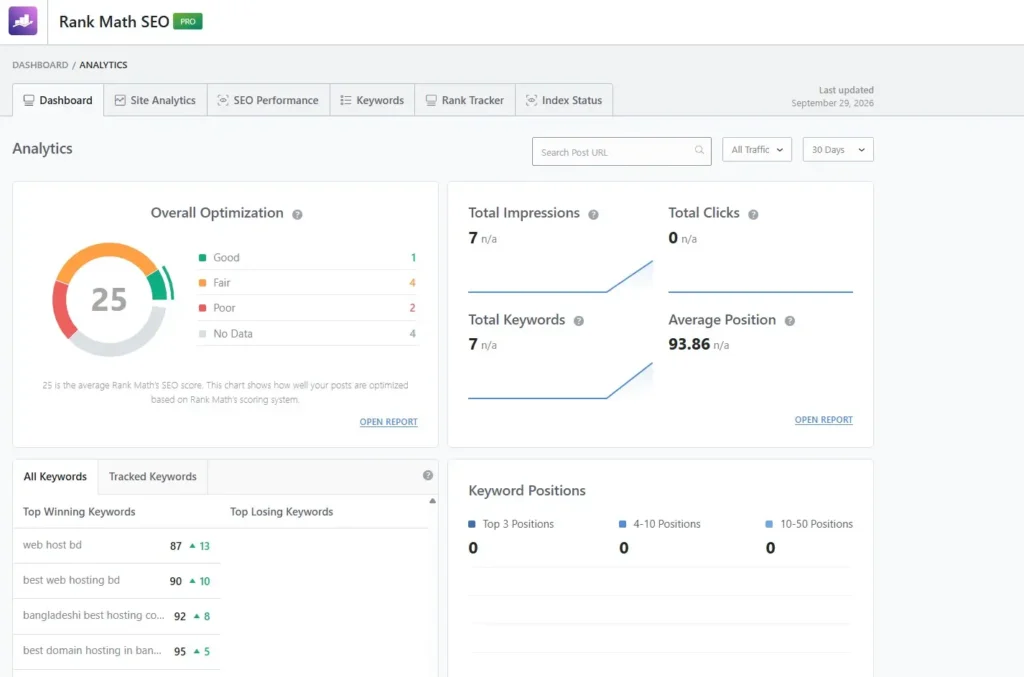
Rank Math Analytics helped me review optimization scores and available search performance data. My dashboard showed an average SEO score of 25, seven impressions, zero clicks, and seven tracked keywords.
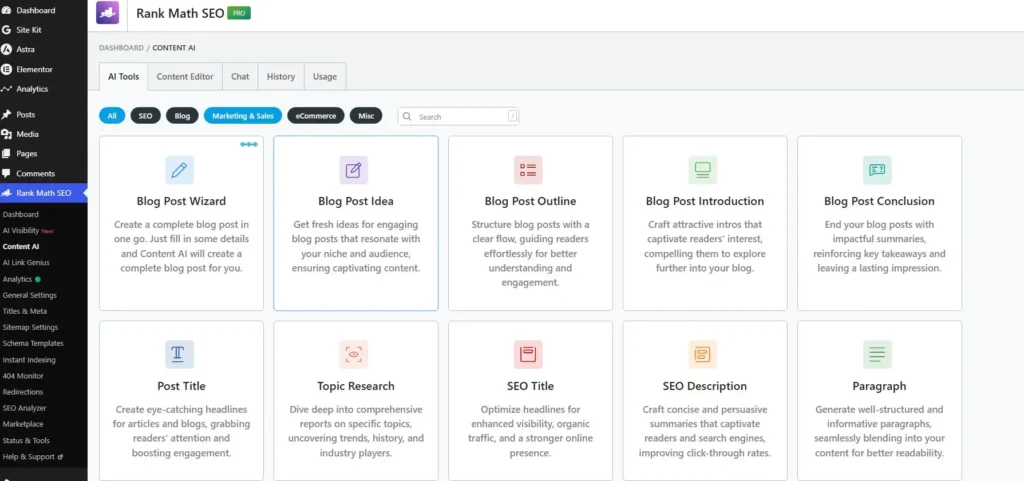
Content AI provided tools for researching topics and improving content. Its dashboard included options for blog ideas, outlines, introductions, conclusions, SEO titles, and descriptions.
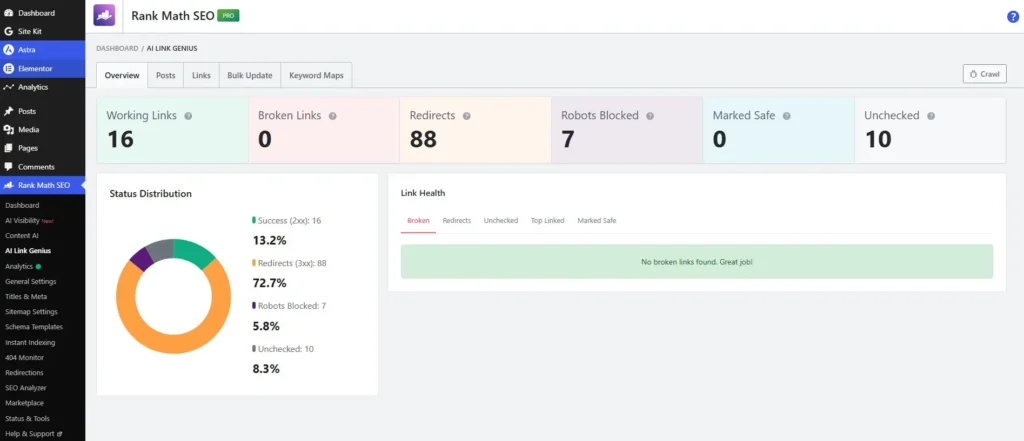
AI Link Genius helped me examine link health across my website. Its report showed 16 working links, zero broken links, 88 redirects, seven robots-blocked links, and ten unchecked links. These results gave me specific areas to investigate during the audit.
My SEO Audit Process
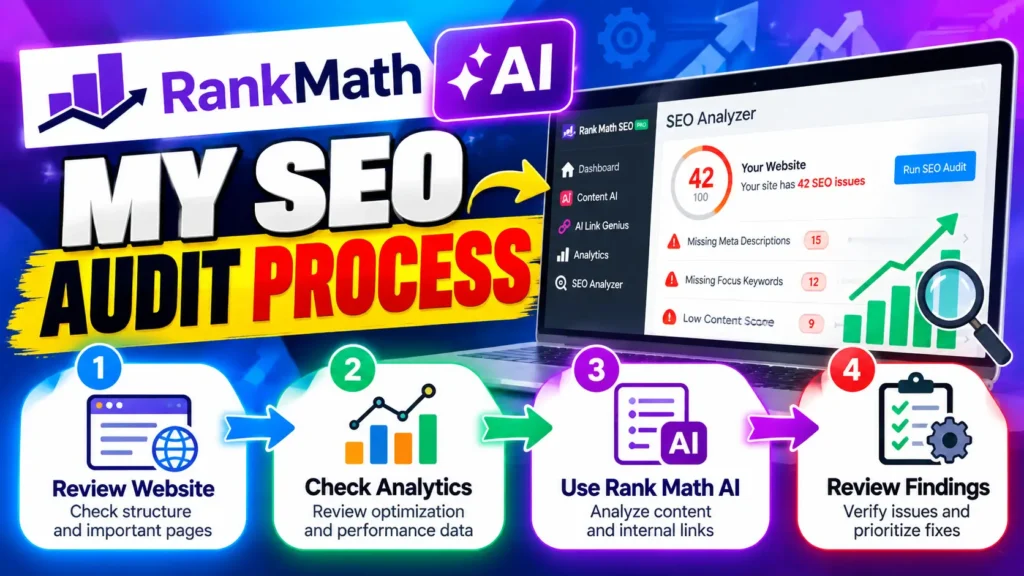
I started by reviewing my website’s structure, existing content, and important pages. This helped me understand what needed closer attention during the audit.
Next, I checked Rank Math Analytics to review available optimization and search performance data. I noted the pages and metrics that needed further investigation.
Then, I used Rank Math AI features to examine content and internal linking opportunities. I reviewed the available recommendations and link reports to identify potential problems.
Finally, I checked the findings manually before deciding which issues deserved attention. This helped me focus on practical improvements instead of relying only on automated suggestions.
How I Used Rank Math AI to Find Hidden SEO Problems
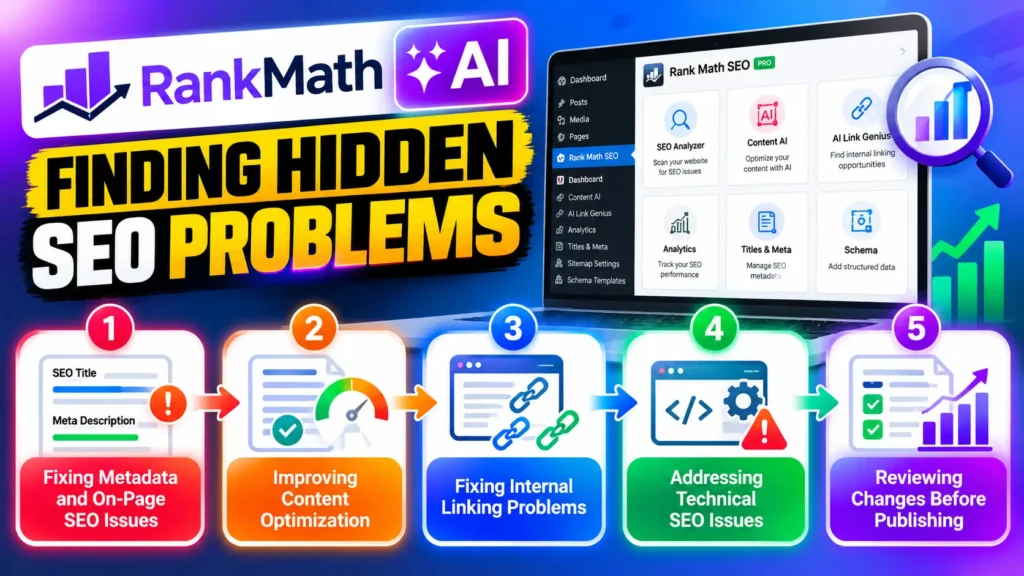
I used Rank Math AI to examine my website and uncover SEO problems that routine checks might overlook. Instead of reviewing every page manually, I used its tools to identify issues and understand where improvements were needed.
This section covers the problems I discovered, how Rank Math AI helped investigate them, and the changes I made to improve my website’s SEO.
Finding Missing or Incorrect SEO Metadata
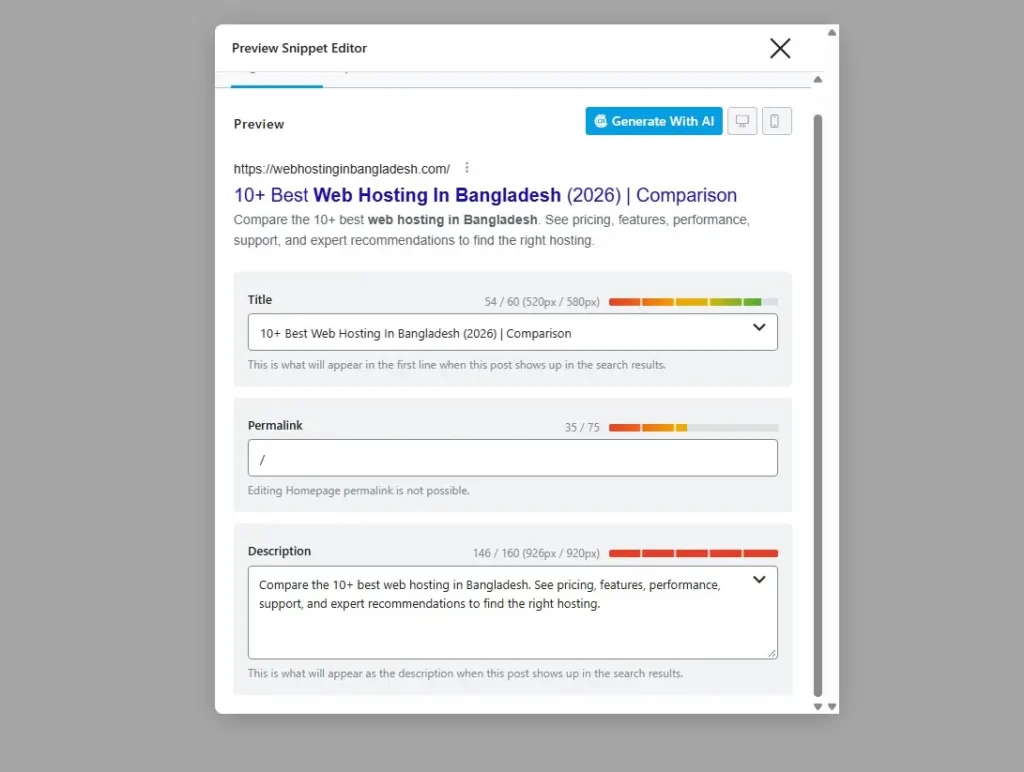
During my audit, I checked whether important pages had clear SEO titles and meta descriptions. I also reviewed their length and appearance in Rank Math’s search preview.
For my homepage, the SEO title was 54 characters, while the meta description was 146 characters. However, Rank Math showed that both exceeded its recommended pixel widths. The title measured 520 of 580 pixels, while the description measured 926 of 920 pixels. This showed me that having metadata was not enough; I also needed to check how it could appear in search results.
I reviewed the wording to make sure it clearly described the page and included the main topic naturally. This helped me identify metadata that could benefit from further optimization, rather than assuming every completed field was already correct.
Identifying Content Optimization Problems
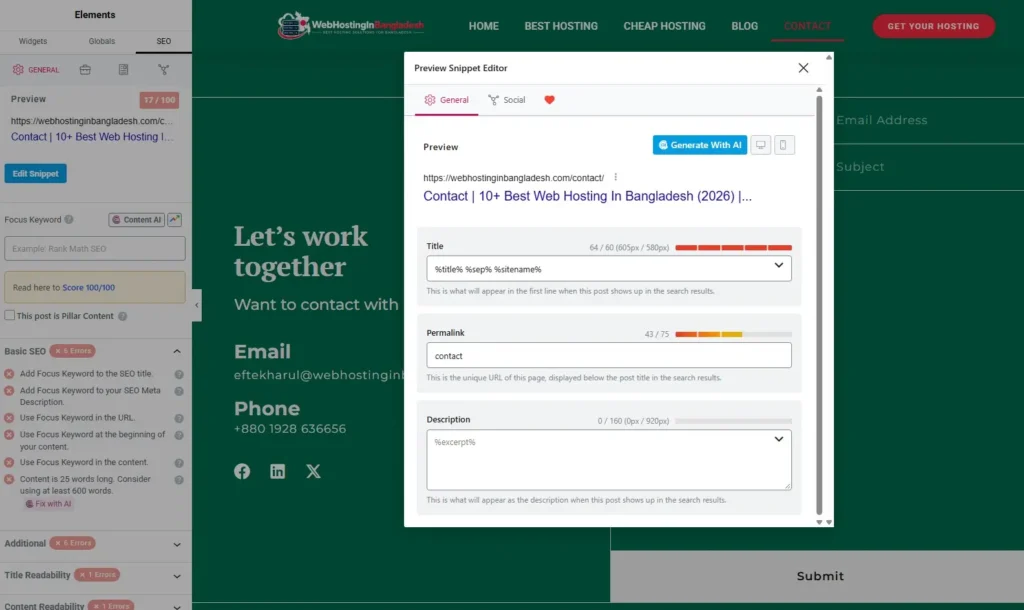
While reviewing my Contact page, Rank Math highlighted several content optimization issues. The page had no focus keyword, and its SEO title exceeded the recommended length.
Rank Math also flagged the missing meta description, focus keyword placement, and short content. The page contained only 25 words, while the SEO description relied on an empty excerpt variable. These warnings helped me identify areas needing improvement beyond basic metadata.
I used these findings to understand which changes could make the page clearer and better optimized. The “Fix with AI” option also offered a way to address certain issues directly within the editor.
Discovering Internal Linking Issues
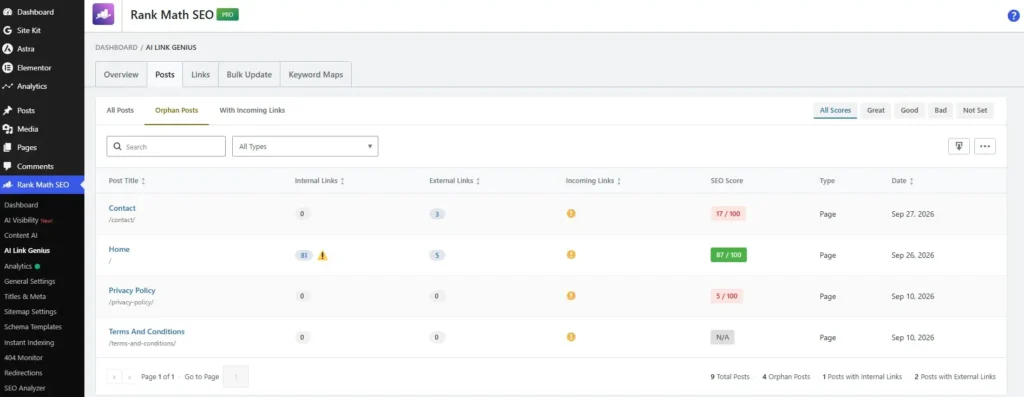
Internal links help search engines discover your pages and understand how your content connects. During my audit, I used Rank Math AI Link Genius to find pages without incoming internal links.
Finding orphan pages is simple. Open Rank Math SEO → AI Link Genius → Posts, then select the Orphan Posts tab. Rank Math displays pages that have no incoming internal links, making them easier to identify. In my screenshot, the report shows four orphan pages, including Contact, Home, Privacy Policy, and Terms and Conditions.
After identifying these pages, review each one and look for relevant opportunities to link to it from other website content. Add contextual links where they genuinely help readers navigate your site. This makes orphan-page discovery much easier than checking every post manually.
Checking Technical SEO Problems
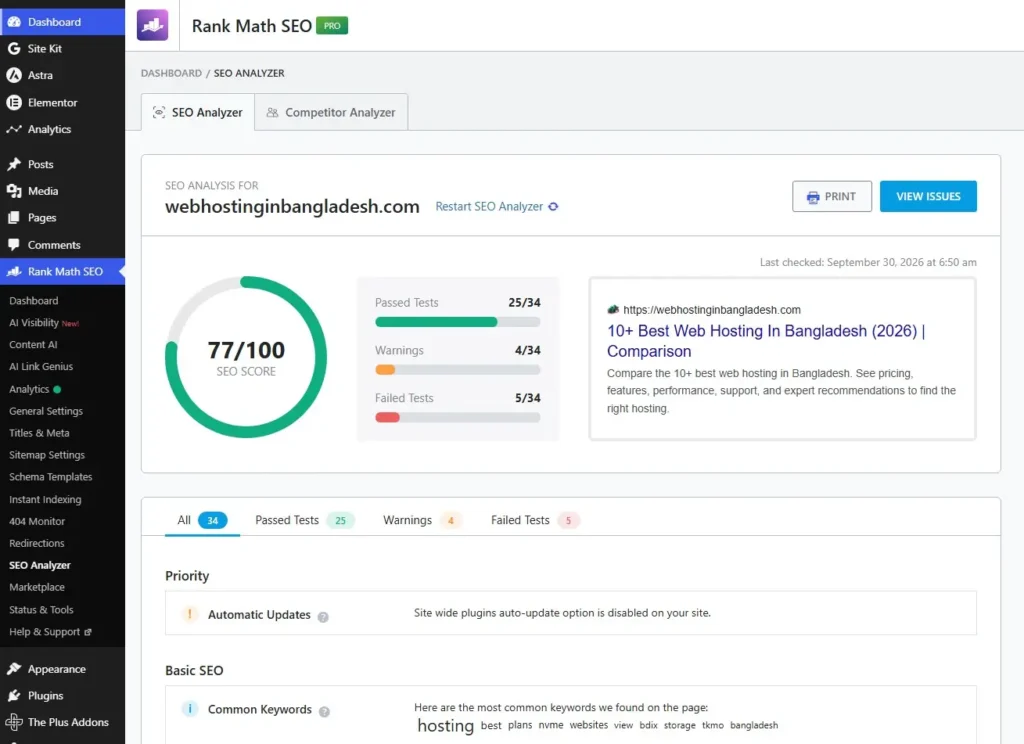
I used Rank Math’s SEO Analyzer to check my website for technical SEO issues. The report showed a score of 77/100, with 25 passed tests, four warnings, and five failed tests. This gave me a quick overview of areas that needed attention.
I clicked View Issues to review the warnings and failed tests in more detail. For example, Rank Math flagged disabled automatic plugin updates and displayed common keywords found on my website. These findings helped me identify potential problems and decide which issues needed further investigation.
Reviewing AI Search Visibility
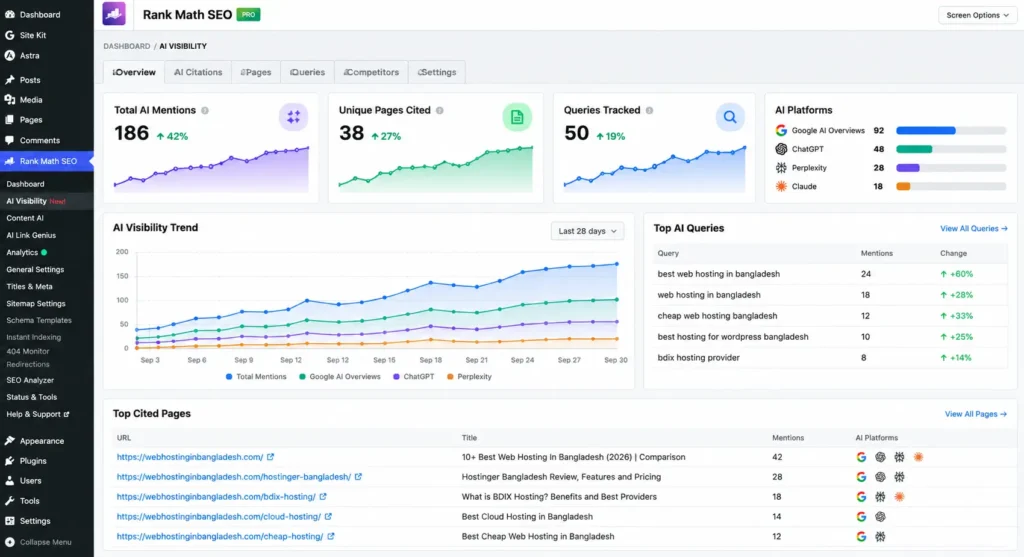
I also reviewed my website’s AI search visibility to understand how AI platforms discover and mention my content. Rank Math AI Visibility helps monitor brand mentions, cited pages, tracked queries, and visibility across supported AI platforms.
The dashboard provides an overview of AI mentions, popular queries, and pages receiving citations. I used these insights to identify which topics gained visibility and which pages needed further improvement. This helped me look beyond traditional search rankings and understand how my website appeared in AI-generated answers.
How I Fixed the SEO Problems With Rank Math AI
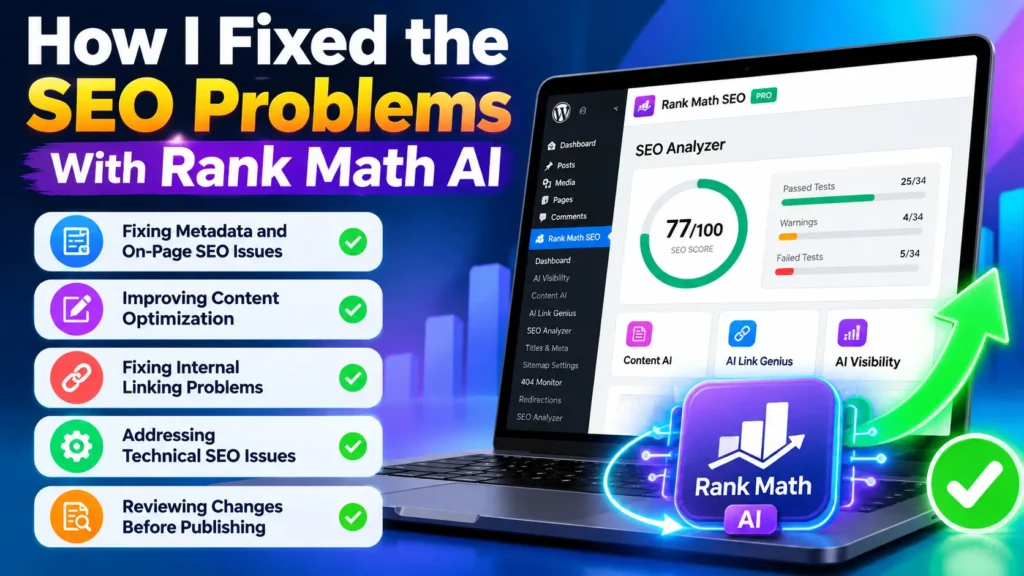
In this section, I’ll explain how I used Rank Math AI to address the SEO problems found during my audit. I’ll cover metadata improvements, content optimization, internal linking, technical fixes, and reviewing changes before publishing.
Fixing Metadata and On-Page SEO Issues
I started by reviewing the page’s SEO title and meta description in Rank Math’s Preview Snippet Editor. This helped me check how the page could appear in Google search results and identify areas needing improvement.
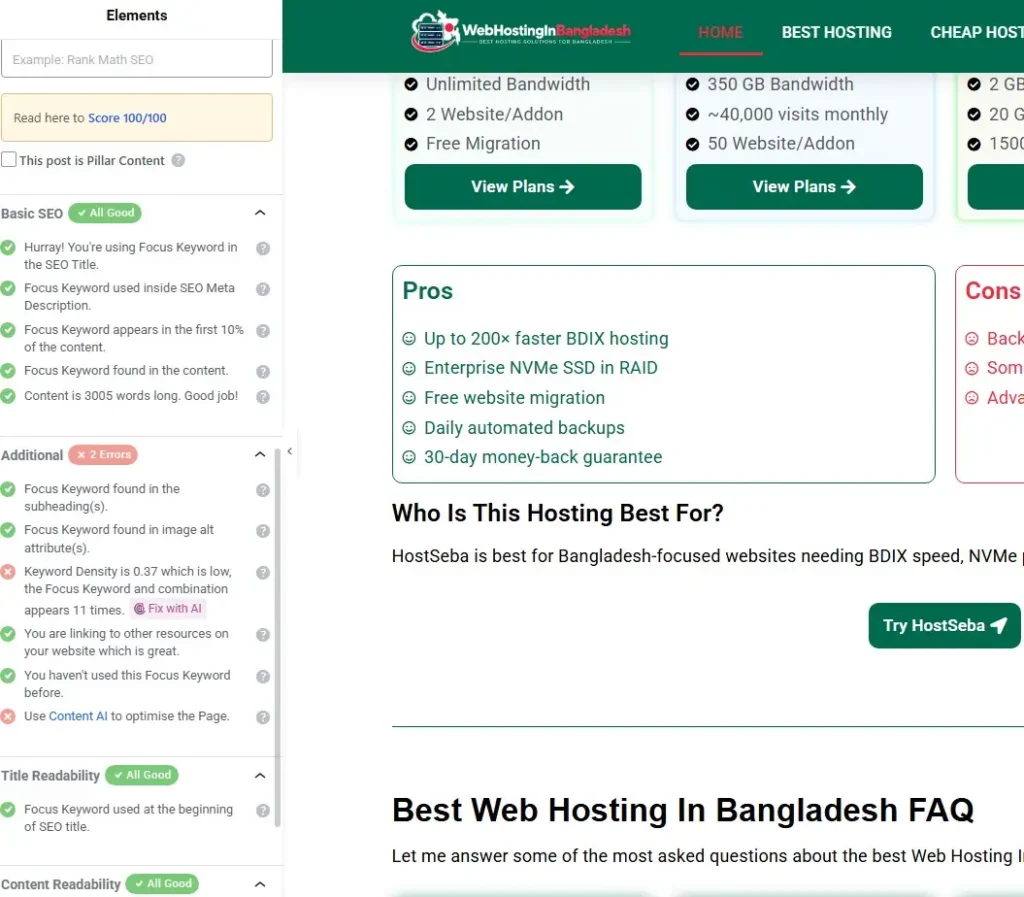
Next, I checked Rank Math’s on-page SEO recommendations inside the Elementor editor. The focus keyword appeared in the title, description, opening content, and page content. Most basic SEO checks passed, but Rank Math identified low keyword density and suggested using Content AI.
I reviewed these recommendations instead of changing everything automatically. This helped me improve the page while keeping its content natural and useful for readers.
Improving Content Optimization

I used Rank Math Content AI to improve the page’s content and target relevant search terms. I added related keywords to guide optimization and help cover different search intents.
Content AI helped me identify relevant keyword opportunities for the page. I used these suggestions naturally, keeping the content useful and readable instead of forcing keywords into every section.
Fixing Internal Linking Problems
Internal links help search engines discover your content and understand how your pages relate. However, some posts may receive no internal links, making them difficult to discover.
I used Rank Math AI Link Genius to identify these orphan posts. In the Posts tab, I selected Orphan Posts to see pages without incoming internal links. The report also showed each post’s existing links and SEO score.
After identifying an orphan post, I reviewed its topic and found relevant pages that could link to it. I then added contextual internal links using suitable anchor text. This helped connect isolated content with related pages across my website.
Tip: Avoid adding links randomly. Choose relevant pages and use natural anchor text that describes the destination.
Addressing Technical SEO Issues
Technical SEO problems can prevent search engines from crawling, indexing, and understanding your website. I used Rank Math SEO Analyzer to identify issues across my website.
The analyzer showed an SEO score of 77/100, with 25 passed tests, four warnings, and five failed tests. I clicked View Issues to review the problems and understand what needed attention.
I then addressed each issue based on its priority and the analyzer’s recommendations. For example, I checked important settings, fixed configuration problems, and reviewed any warnings that could affect SEO.
After making the changes, I ran the SEO Analyzer again to check the results. This helped me track improvements and identify any remaining technical SEO issues.
Reviewing Changes Before Publishing

Before publishing, I reviewed the updated page and checked its Rank Math SEO score. The score reached 87/100, with the primary focus keyword added to the page.
I also checked the SEO title, meta description, and content to ensure they matched the page’s purpose. Finally, I reviewed Rank Math’s remaining recommendations and made relevant changes without forcing keywords unnaturally. This final check helped me publish more confidently.
My Overall Experience Using Rank Math AI for SEO Audits
Overall, Rank Math helped me identify SEO problems and organize my optimization workflow. I used its SEO Analyzer to review technical issues, AI Link Genius to find orphan posts, and Content AI to improve content.
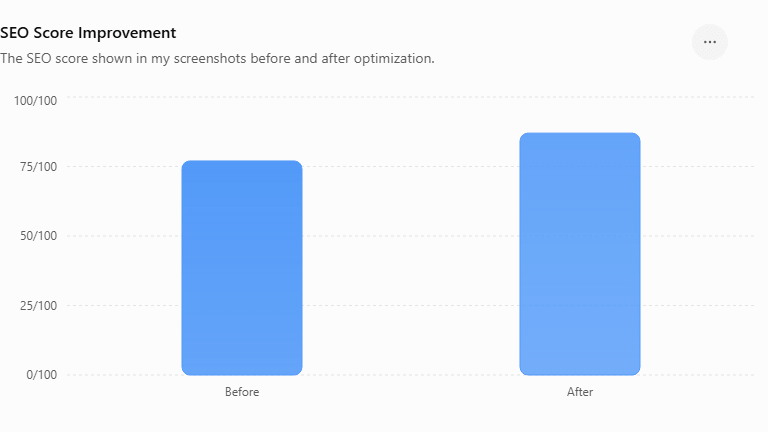
The initial SEO Analyzer score was 77/100. After reviewing the recommendations and making relevant changes, my page’s SEO score reached 87/100. This improvement reflects my optimization work, not a guarantee of higher search rankings.
The biggest benefit was having several SEO checks and recommendations in one place. However, I still reviewed every suggestion manually to ensure it suited my website.
Frequently Asked Questions
Rank Math’s SEO Analyzer checks your website for SEO issues and provides recommendations for improvement.
Open Rank Math SEO → SEO Analyzer and run an analysis. Review the passed tests, warnings, and failed tests.
Rank Math provides recommendations and AI-assisted tools. However, you should review changes before applying them.
Use AI Link Genius → Posts → Orphan Posts to identify content without incoming internal links.
Yes. Content AI helps optimize content with relevant suggestions. Review its recommendations to keep your writing natural and useful.
No. The score measures optimization against Rank Math’s checks. It does not guarantee higher Google rankings.
Yes. Its reports and recommendations can help beginners identify SEO issues and understand possible improvements.
No. Review each recommendation based on your content and website goals. Avoid making changes just to increase your SEO score.
Conclusion
Rank Math AI helped me uncover SEO issues and improve my website through a more organized workflow. I used SEO Analyzer, Content AI, and AI Link Genius to review technical problems, optimize content, and identify orphan posts.
My SEO score increased from 77/100 to 87/100 after making relevant improvements. However, these scores do not guarantee higher search rankings.
The key lesson is to use Rank Math’s recommendations as guidance, not absolute rules. Review each suggestion carefully and focus on creating useful content for your audience.