
SEO can become time-consuming when you need to analyze pages and identify important optimization opportunities. Rank Math MCP connects Rank Math with Claude for AI-powered SEO analysis.
With this connection, Claude can run SEO audits and identify missing focus keywords. You can also analyze competitors, review links, and inspect individual post data.
In this guide, I’ll show you how to connect Claude with Rank Math MCP step-by-step. You’ll also learn practical ways to use it for your SEO workflow.
I’ll cover SEO audits, keyword issues, competitor analysis, Schema, and link reports. You’ll also learn which tasks still require manual action.
What Is Rank Math MCP?
MCP stands for Model Context Protocol. It allows AI tools like Claude to connect with external applications and access their information.
In simple terms, Rank Math MCP creates a connection between Claude and your WordPress website. This allows Claude to work with Rank Math and access supported SEO data.
After connecting MCP, you can give Claude SEO instructions using simple prompts. Claude can then retrieve information from Rank Math and present the results to you.
For example, you can ask Claude to run an SEO audit or find missing focus keywords. You can also analyze competitors, review links, check Schema, and inspect individual posts.
What You Need Before Getting Started
Before connecting Claude with Rank Math MCP, you need a few basic tools and WordPress settings. Make sure everything below is ready before starting the setup.
- ✅ WordPress website
- ✅ Rank Math installed
- ✅ Claude Desktop
- ✅ Node.js
- ✅ WordPress application password
- ✅ HTTPS-enabled website
- ✅ WordPress admin access
Rank Math should already be installed on your WordPress website before continuing. You’ll also need Claude Desktop, Node.js, and an application password for the connection.
How to Connect Claude With Rank Math MCP
Once you have everything ready, you can start connecting Claude with Rank Math MCP. The setup involves a few simple steps that connect your Claude Desktop app with your WordPress website.
I’ll walk you through each step so you can complete the connection without confusion. Once connected, you’ll be able to use Claude to access Rank Math’s supported SEO tools.
Step 1: Install Claude Desktop
First, you need to install the Claude Desktop application on your computer. Visit the Claude download page and download the desktop version for your operating system.
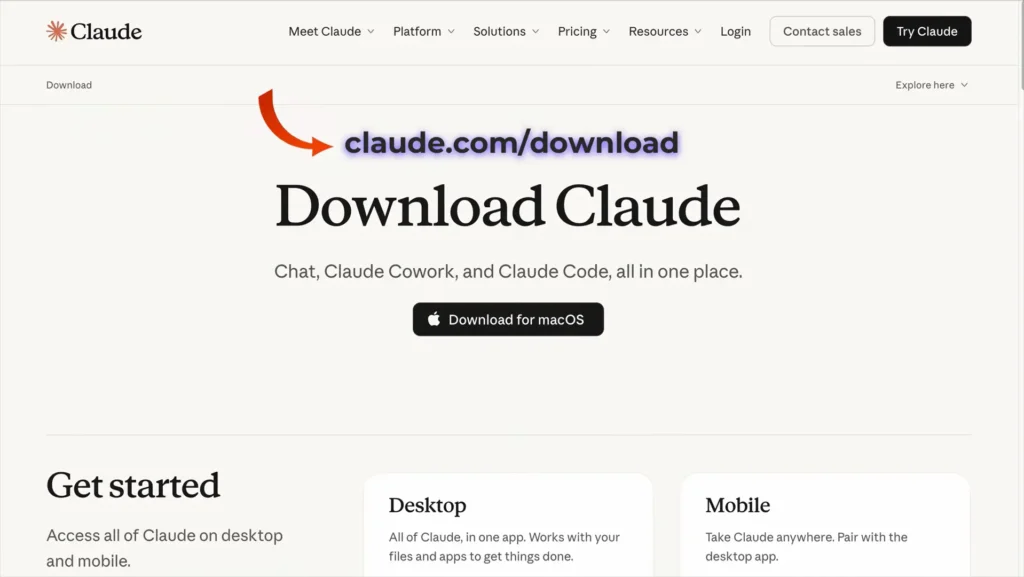
After downloading the installer, complete the installation and open Claude Desktop. You should also sign in to your Claude account before continuing with the next setup step.
Step 2: Create a WordPress Application Password
Next, create an application password in your WordPress dashboard for Rank Math MCP. This password allows Claude to securely communicate with your WordPress website without using your main password.
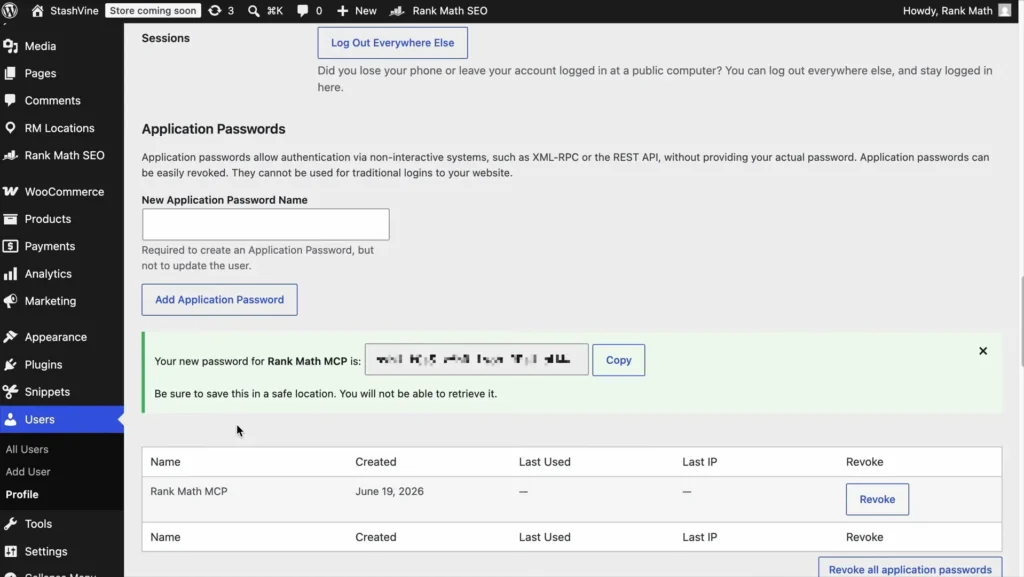
- Go to Users → Profile in your WordPress dashboard.
- Scroll down to the Application Passwords section.
- Enter a name, such as Rank Math MCP.
- Click Add Application Password.
- Copy the generated password and save it somewhere secure.
Important: WordPress only shows this application password when it is created. Keep it safe because you’ll need it during the MCP connection setup.
Step 3: Install Node.js
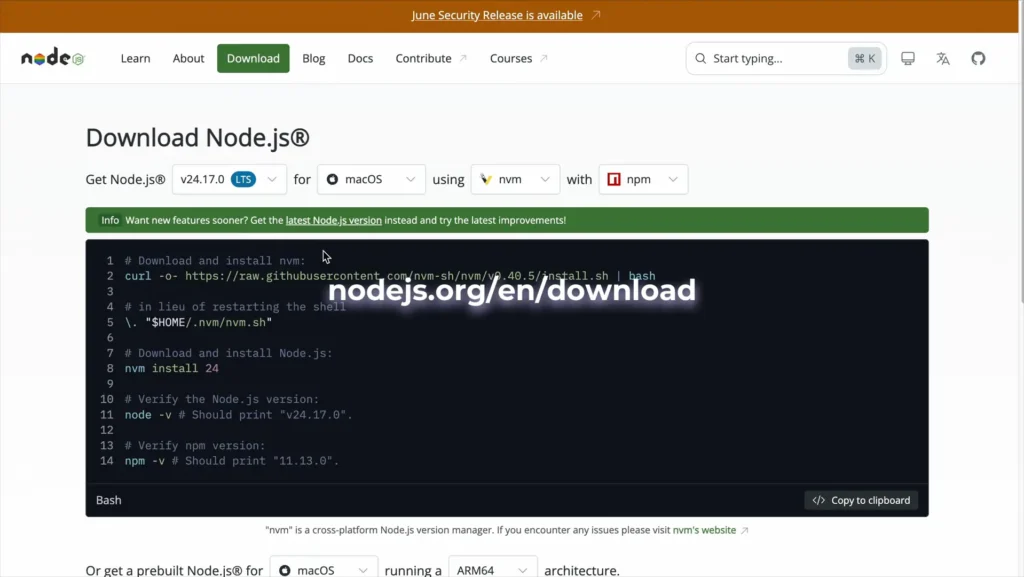
The next step is to install Node.js, which is required for connecting Claude Desktop with Rank Math MCP. Node.js provides the environment needed to run the MCP server on your computer.
- Visit the official Node.js download page.
- Download the appropriate version for your operating system.
- Install Node.js by following the setup instructions.
- After installation, verify that Node.js and npm are working correctly.
You can download Node.js from nodejs.org/en/download.
Step 4: Connect Claude Desktop With Rank Math MCP
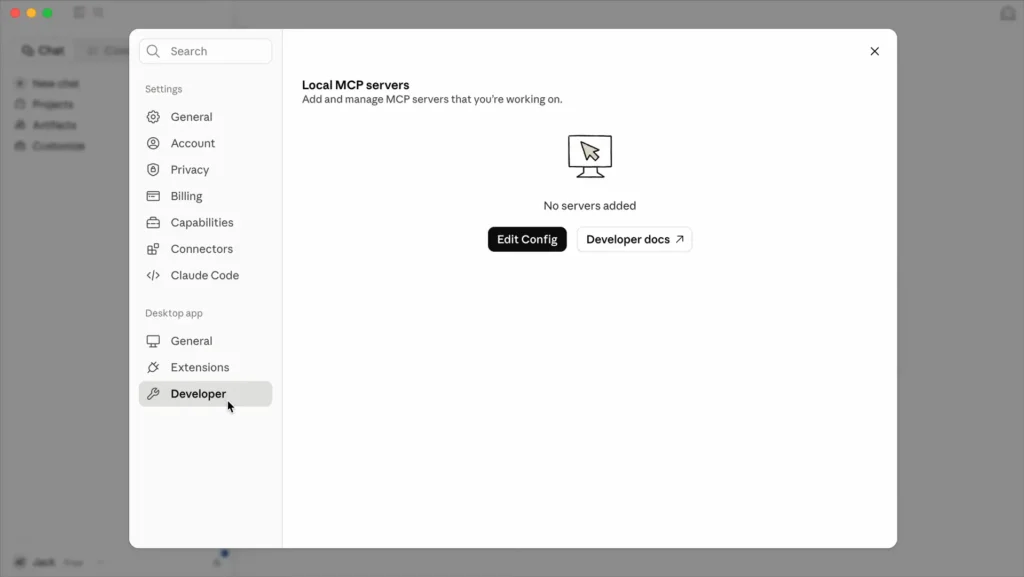
At the beginning, you have to open Claude on a browser and then click on the settings from the left sidebar.
Once you click on the settings, this page will open; now you’ve to click on Developer, and click on Edit Config.
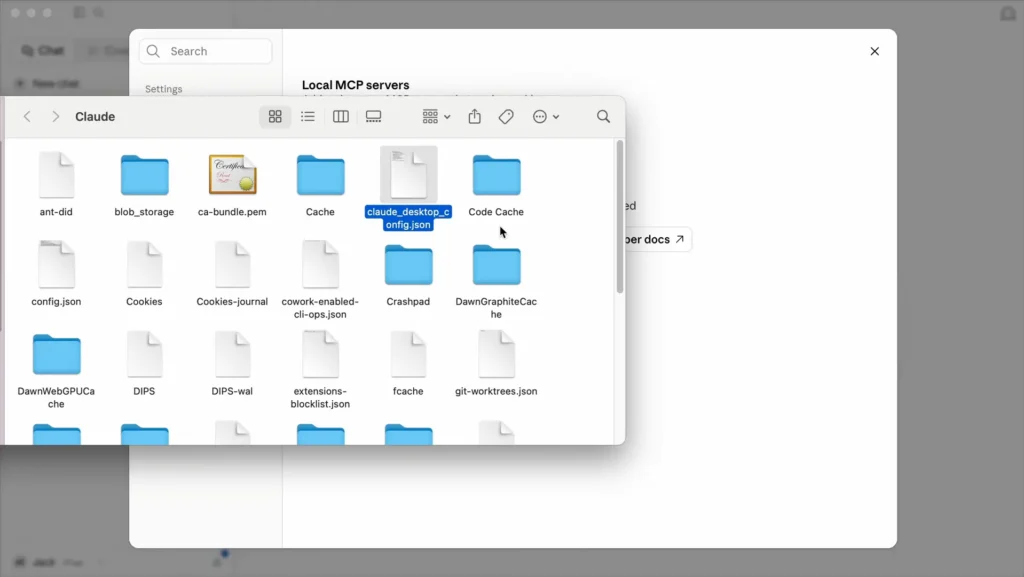
Now you have to select this file and start editing the course. If you don’t have the code, then don’t worry.
By following this link https://pastebin.com/d3pFM3uTyou can easily download it.
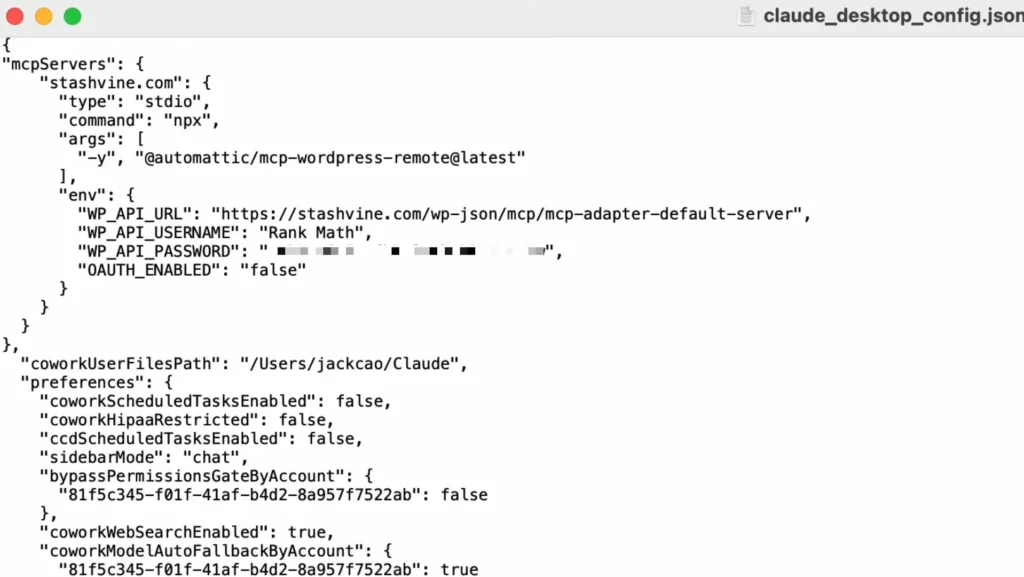
Now you’ve to copy the MCP configuration provided in the setup instructions and paste it inside the mcpServers section. Replace the WordPress URL, username, and application password with your own website details.
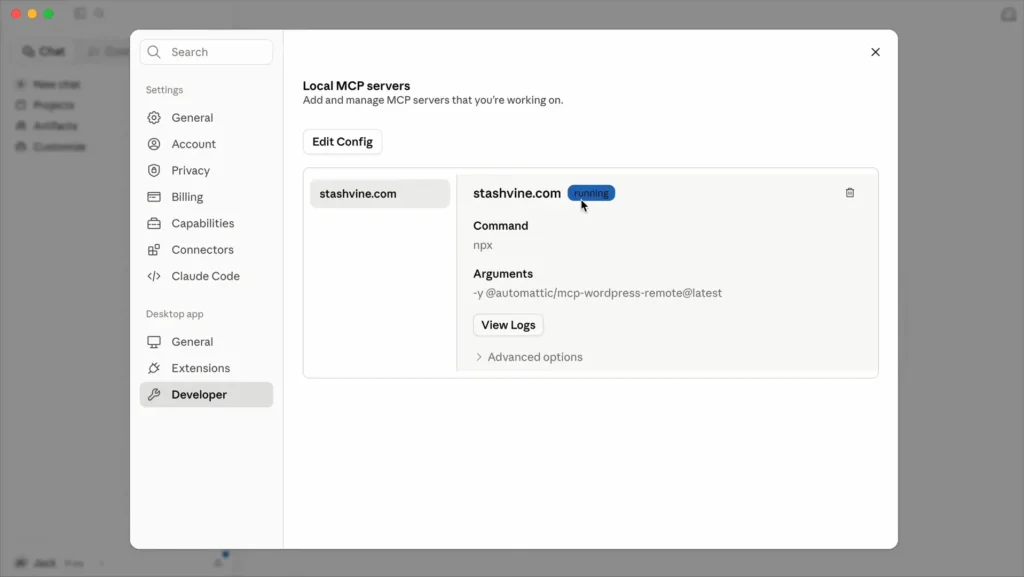
After this process, you’ve to restart your Claude and then go back to the settings page and click on the developer to check that it is working perfectly.
How to Check Whether Rank Math MCP Is Working
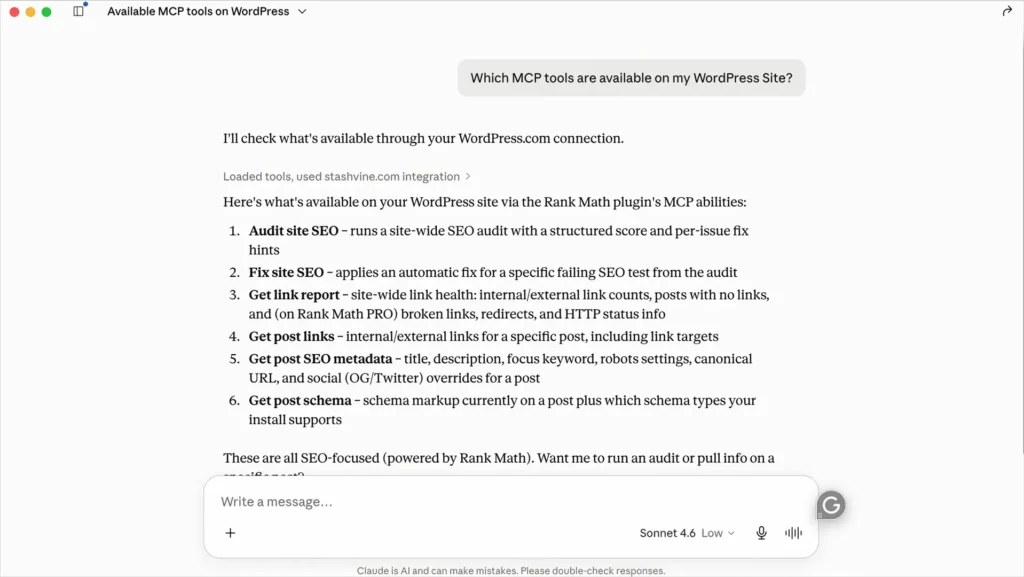
After adding the configuration, restart Claude Desktop to load the MCP connection. Then open a new chat and ask Claude, “Which MCP tools are available on my WordPress site?”
If the connection works, Claude should display the available Rank Math MCP tools. These can include SEO audits, fixing SEO issues, internal link reports, post links, post SEO metadata, and schema information.
This quick test confirms that Claude can communicate with your WordPress website through Rank Math MCP.
1. Run a Complete SEO Audit With Claude
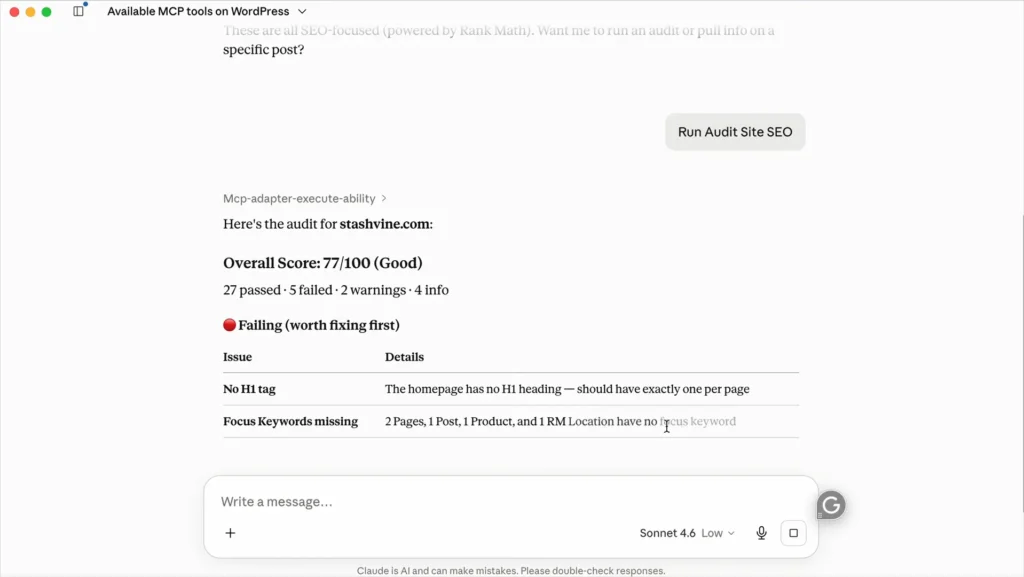
Once Rank Math MCP is connected, you can ask Claude to run a complete SEO audit of your WordPress website. Claude sends the request through MCP and returns the audit results directly inside the conversation.
The audit can show an overall SEO score along with passed, failed, warning, and informational checks. It can also highlight important issues, such as missing H1 tags and missing focus keywords.
This makes it easier to identify the most important SEO problems without manually checking every page. You can then use Claude’s findings to prioritize which issues should be fixed first.
2. Find and Fix Missing Focus Keywords
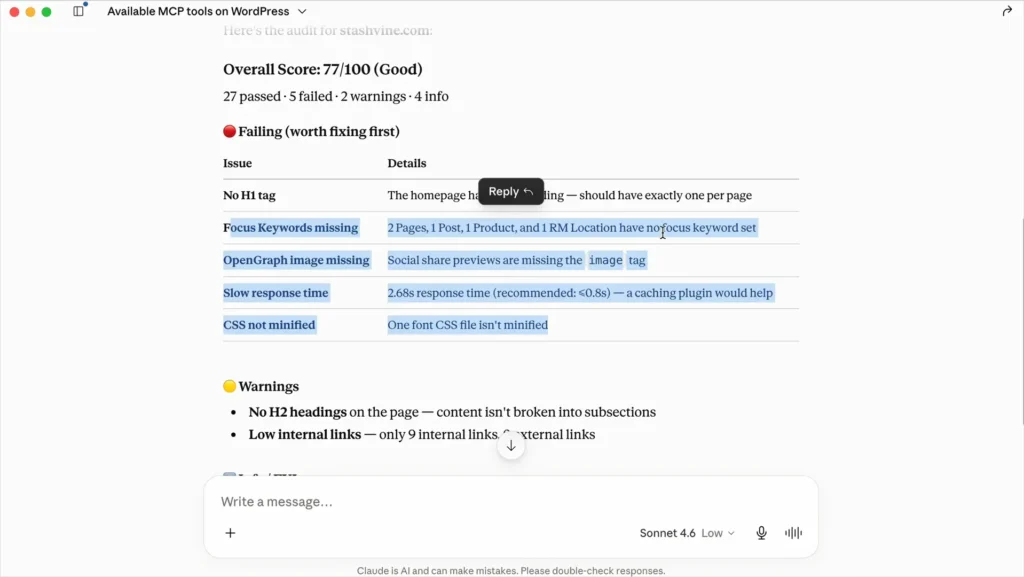
After running the audit, you can ask Claude to identify pages that are missing focus keywords. Rank Math MCP can return these issues and show which pages, posts, products, or other content need attention.
Claude can then help you understand where focus keywords are missing and prioritize those pages for optimization. This gives you a faster way to find content that may need better keyword targeting.
3. Ask Claude to Fix Failing SEO Tests
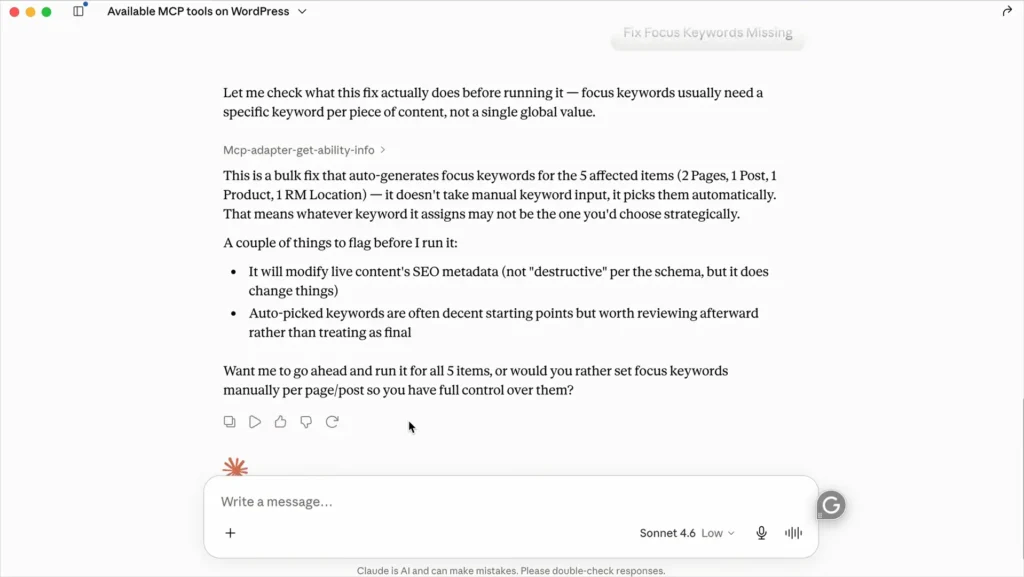
Once Claude identifies failing SEO tests, you can ask it to help fix the issues. Before making changes, Claude can explain what the fix will actually change on your website.
For example, Claude can generate focus keywords for affected pages, posts, products, or locations. However, review automatically generated keywords before applying them, since each piece of content may require a different keyword strategy.
Claude may also warn you when an action changes your SEO data. This gives you an opportunity to review the proposed changes before allowing Claude to proceed.
4. Run an SEO Audit on a Competitor
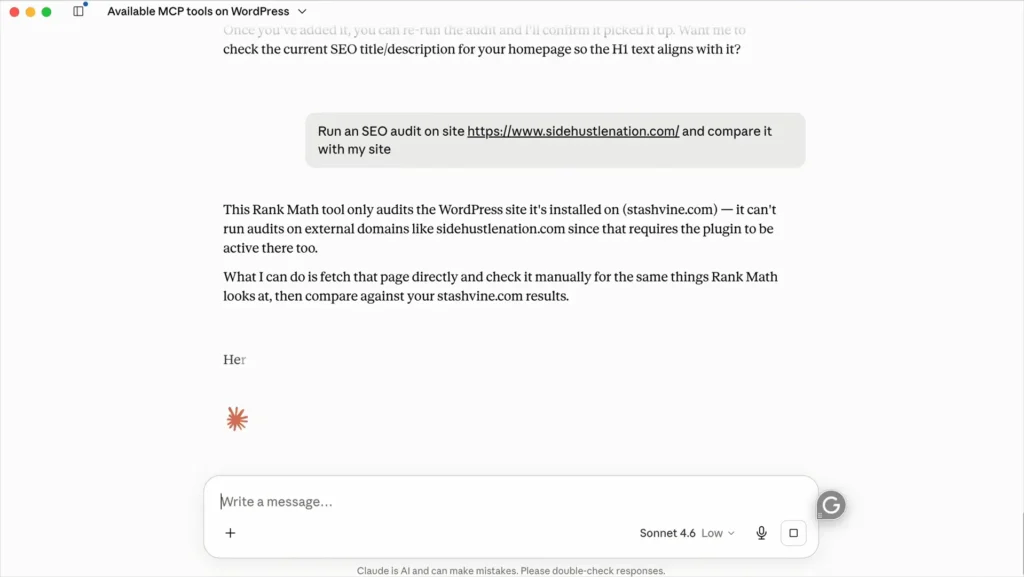
You can also use Claude with Rank Math MCP to analyze a competitor’s website. However, Rank Math Pro must be installed and active for the competitor auditing feature.
Ask Claude to audit a competitor’s website and compare its SEO performance with your own site. This can help you identify areas where your website may need stronger optimization.
Keep in mind that the Rank Math MCP tool shown here audits the WordPress site where Rank Math is installed. For an external competitor, Claude may need to analyze the competitor’s pages separately and compare the findings manually.
5. Generate a Site-Wide Link Report
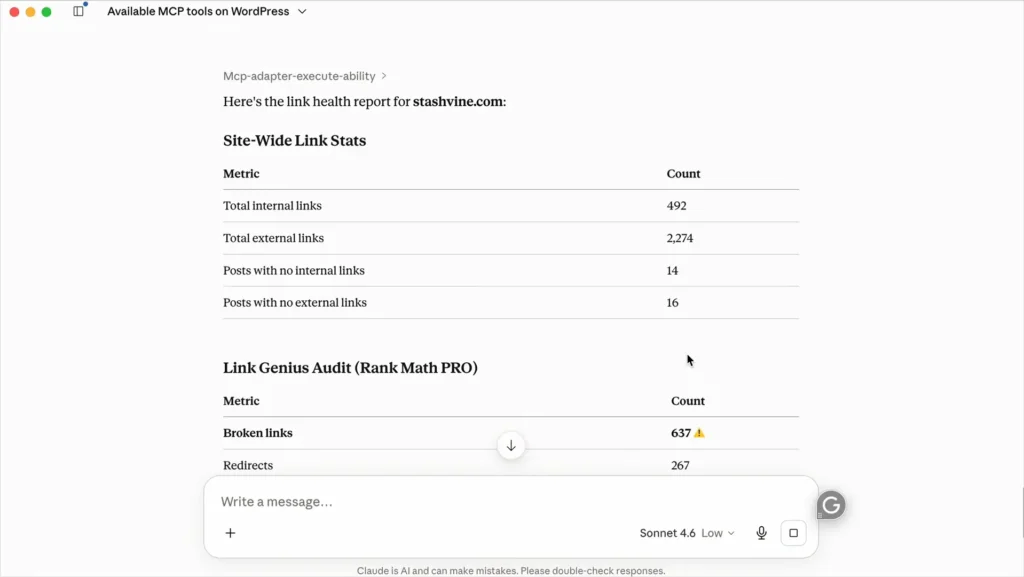
Another useful task is asking Claude to generate a site-wide link report through Rank Math MCP. This report gives you a quick overview of your website’s internal and external linking structure.
Claude can analyze important link metrics and present them in an easy-to-read format. For example, the report can show your total internal links, external links, and posts missing those links.
The report can also include Rank Math PRO’s Link Genius Audit data. This helps identify issues such as broken links and redirects that may need attention.
You can use this report to find weak areas in your internal linking strategy. After identifying these issues, you can prioritize the pages that need the most SEO improvements.
6. Analyze a Specific Post With Rank Math MCP
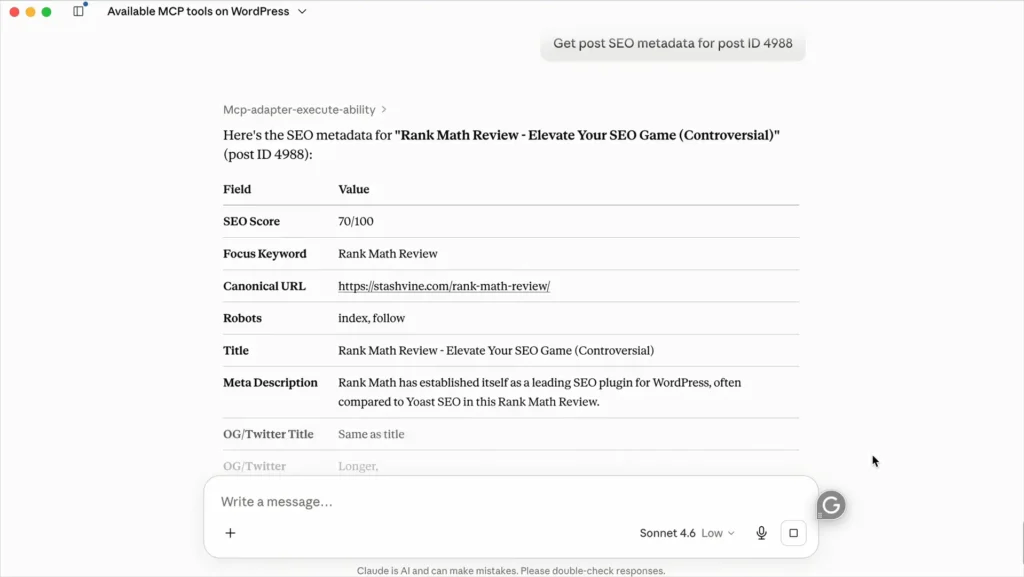
Rank Math MCP also lets you analyze the SEO details of a specific WordPress post directly through Claude. You can provide the post ID, allowing Claude to retrieve important SEO information from Rank Math.
The results can include the SEO score, focus keyword, canonical URL, robots settings, SEO title, and meta description. This gives you a quick way to review a post’s current SEO setup without manually checking every setting in WordPress.
You can use this information to identify areas that need improvement. For example, you can ask Claude to review the retrieved SEO data and suggest ways to improve the post’s optimization.
7. Analyze Internal and External Links on a Specific Post
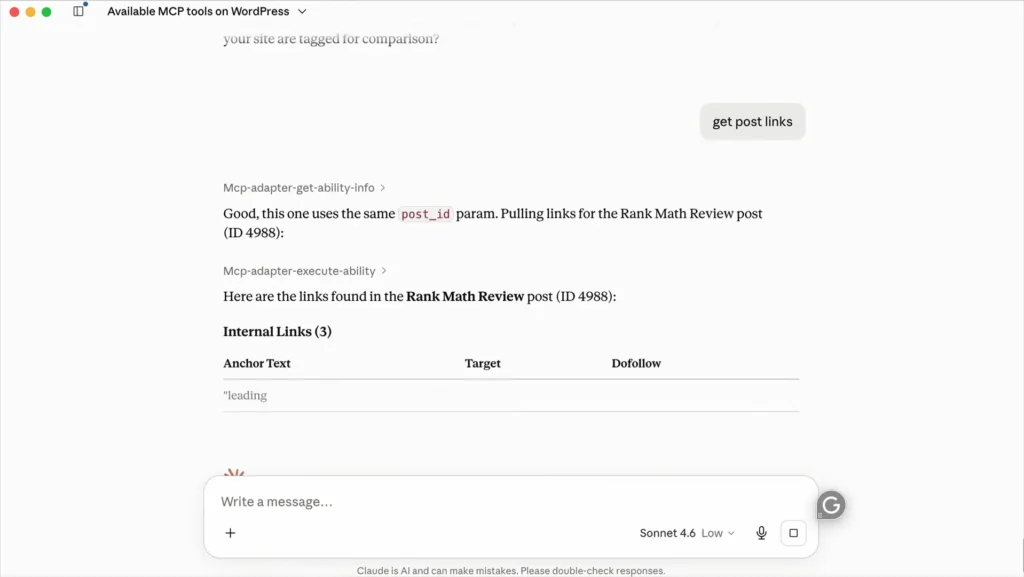
Rank Math MCP can also retrieve the internal and external links used within a specific WordPress post. Simply provide the same post_id used when analyzing the post’s SEO metadata.
Claude can then pull the links from that post and organize them for easier review. This can help you understand how the content connects to other pages and external resources.
You can use this information to identify opportunities for better internal linking and check whether important pages are properly connected.
Rank Math MCP: What Claude Can and Cannot Do
Rank Math MCP allows Claude to interact with your WordPress website through Rank Math’s SEO capabilities. This connection lets Claude access important SEO information directly from your website.
Claude can run site-wide SEO audits and identify issues like missing focus keywords and headings. It can also retrieve SEO metadata, analyze links, and generate useful reports.
Claude can analyze specific posts using their WordPress post IDs. You can retrieve SEO metadata, internal links, external links, and other available information.
However, Claude cannot perform every SEO task automatically through MCP. Some features require Rank Math PRO, while competitor analysis may require manual page reviews.
Frequently Asked Questions (FAQ)
Rank Math MCP connects Claude with your WordPress website through Rank Math. It allows Claude to access and analyze important SEO information.
Claude can run SEO audits and retrieve SEO metadata from your WordPress website. It can also analyze internal links, external links, and specific posts.
Some advanced MCP features require Rank Math PRO. Check the specific feature requirements before using them.
Yes, Claude can use Rank Math MCP to run a site-wide SEO audit. The audit can identify various SEO issues requiring attention.
Claude can perform certain available SEO actions through Rank Math MCP. You should review suggested changes before applying them to your website.
Yes, you can provide a WordPress post ID for analysis. Claude can retrieve SEO metadata and other available information.
Yes, Claude can retrieve internal and external links from specific posts. This can help identify potential linking opportunities.
Rank Math MCP cannot directly audit external websites without the required Rank Math installation. You may need to review competitor pages manually.
Yes, this setup uses Claude Desktop to connect with the Rank Math MCP server. You also need Node.js and other required credentials.
Rank Math MCP can make SEO analysis faster and more convenient. It lets Claude access several Rank Math SEO capabilities from one interface.
Conlcusion
Rank Math MCP brings a powerful new way to manage and analyze WordPress SEO with Claude. Instead of checking every SEO detail manually, you can use Claude to access important Rank Math data.
From running complete SEO audits to analyzing individual posts and links, MCP can simplify many SEO workflows. It can also help you identify problems and decide which improvements deserve your attention.
However, MCP does not replace your SEO knowledge or judgment. Some advanced capabilities require Rank Math PRO, while certain tasks still need manual review.
If you already use Rank Math and Claude, connecting them can make your SEO workflow more efficient. With the right setup, you can spend less time finding SEO issues and more time improving your website.